

What it does
It manages assets, maintenance, warehouse, procurement, issue and field work in the same chain of records. Who has each job, what it consumed and how it ended stays on record.
Asset management and operations platform
VAYOM lets you manage equipment, requests, work orders and field work together with responsibility, materials and history.
What is VAYOM
It brings enterprise asset management (EAM) and maintenance management together with warehouse, procurement, issue and field work in a single chain of records. It does not replace your accounting or payroll software; it works alongside it.
Systems alongside
General ledgerPayrollERP · SAPVAYOM · asset and operations platform
Teams in the field
TechnicianWarehouse keeperSupervisorIt manages assets, maintenance, warehouse, procurement, issue and field work in the same chain of records. Who has each job, what it consumed and how it ended stays on record.
It does not keep a general ledger, calculate payroll or manage sales. It does not try to replace the programs that do this work.
It exchanges data with SAP, Maximo or another system through files, the external API and signed webhooks, and prepares a timesheet CSV for payroll.
The parts of an operation
People, work areas, the materials used and daily work are all connected. VAYOM keeps that connection on record without breaking it.
Illustrative model
Places
Office, technical room, warehouse and field. A job often passes through several of these places.
Assets
Pump, electrical switchboard, forklift, computer. The identity, location and owner of each one are known separately.
People
The employee who notices the fault, the person who plans the work and the technician in the field are on different sides of the same job.
Material
The part in the warehouse goes out to the job. It is deducted from stock and added to the job's material cost.
Work
The request, the work order and the result tie these elements together. Which job is with whom, what was done and what was spent can be seen in one place.
Work areas
Each area handles its own work; asset, request, work order and material records stay linked across areas.
Every asset has a known location and owner.
One flow from request to closure.
Work runs on the phone.
Rules in the system, evidence in the record.
Your organization's structure in every record.
Act first, report after.
Linked structure
A work order shows more than the work to be done. It also covers the person responsible, the asset concerned, the materials used and the result. VAYOM keeps these links in the record.
Where it is used
In an electrical room or in a warehouse, the questions are the same: where is this asset, who is responsible for it, and what work has been done on it?

How it works
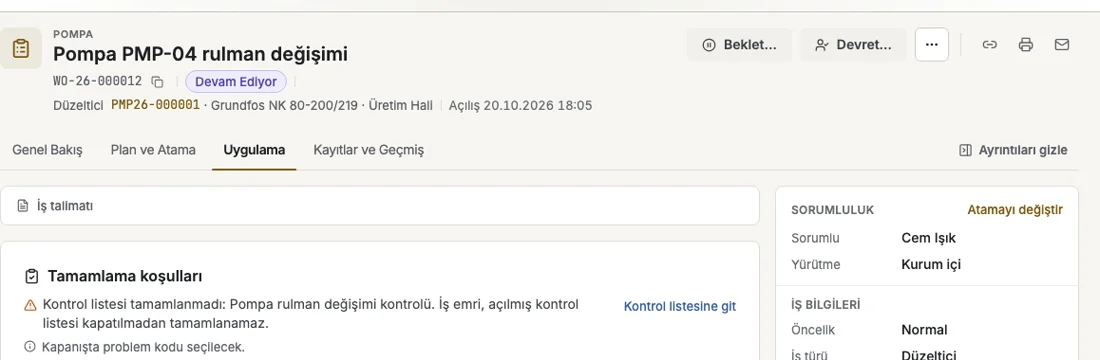
When a fault is reported, a request is opened and carried out through a work order; the part used is deducted from stock and the result is reflected in the linked request. Every step is written to the history.
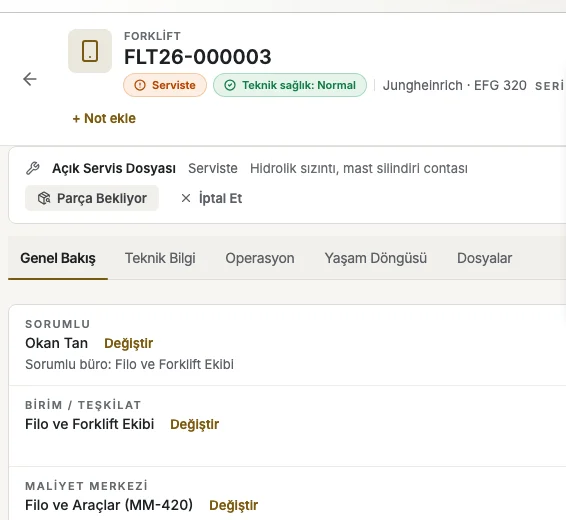
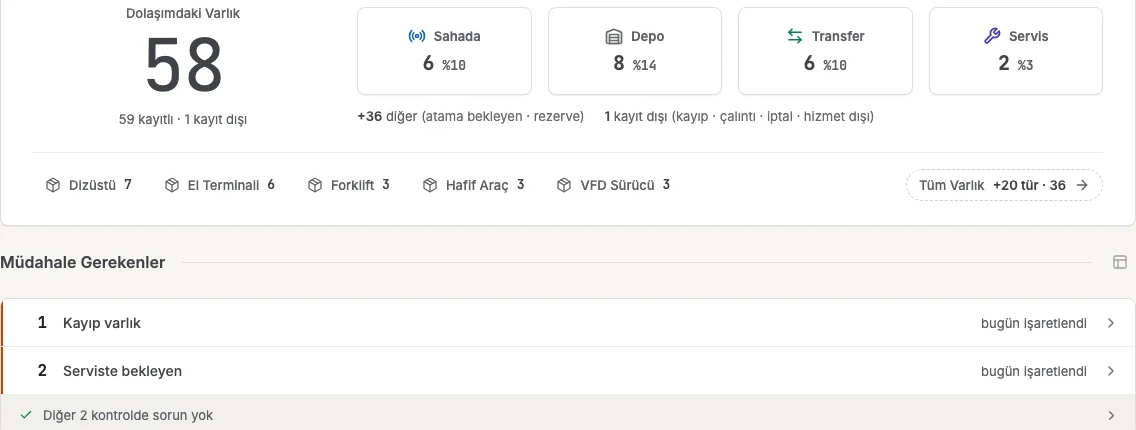
Inside VAYOM
All screens show data from a fictional sample organization. In the call, we go through the same screens with your own process.
Who it is for
In organizations with assets, sites, warehouses, procurement, or technical teams, roles may carry different names; the need is the same. VAYOM meets each role with its own work while preserving the shared record.
“Which asset is where, and with whom?”
Manages assignments, transfers, and status changes in a single chain of responsibility; knows the current location and owner of the inventory without extra queries.
Scenarios
Every scenario starts with a real question from an organization and shows how the same record moves forward across scenes.

Let's work out together the scope for transferring your existing data and the connections you need. Tell us in the call which process you want to see; we'll plan the walkthrough around that workflow.
Request a discovery call